I was 20 minutes into a playthrough of a classic 3DS RPG last month when my screen froze, and the dreaded error popped up: “emulated program broke emulation”. If you’re reading this, you’ve probably run into the same frustrating issue, and you’re asking why does Citra say emulated program broke emulation when you were just playing fine a minute ago. The good news is that this error is almost always fixable with a few simple tweaks, and you don’t need advanced technical skills to resolve most cases. I’ve tested dozens of fixes for this issue over the years, so I’ll walk you through exactly what causes it, how to fix it fast, and how to keep it from happening again.
Common Root Causes of the “Emulated Program Broke Emulation” Citra Error
Before you jump into fixing the error, it helps to know what’s actually causing it, so you don’t waste time trying fixes that don’t apply to your case. The most frequent culprit is a corrupted or improperly dumped 3DS ROM, especially if you downloaded the file from an unvetted site. Many file sharing sites host incomplete or modified ROMs that have missing data required for Citra to run the game properly.
Another common cause is an outdated Citra development build. Citra is updated on a near-daily basis to fix bugs, add support for new games, and improve performance. If you’re running a build that’s more than a few months old, you’re likely missing patches that directly address this exact crash error. Misconfigured custom settings are another big trigger, especially if you’ve recently tweaked graphics, CPU, or memory settings to try and boost performance. Even small changes like increasing the internal resolution too much for your hardware to handle can cause the emulation to crash unexpectedly.
The last common cause is conflicting add-ons, including cheat codes, texture packs, ROM hacks, or third-party mods. These add-ons modify the core game data in ways that Citra’s emulation layer isn’t built to handle, especially if the mod itself is poorly optimized or incompatible with your Citra build.
Quick Step-by-Step Fixes to Resolve the Error
Most of the time, you can fix this error in less than 10 minutes by working through the following simple fixes in order. Start with the first one, test if the error is gone, and only move to the next if you still see the crash message:
- Verify your ROM dump integrity against official 3DS game hash databases to rule out corrupted or incomplete files
- Update your Citra build to the latest nightly or canary version to patch known emulation bugs that cause this crash
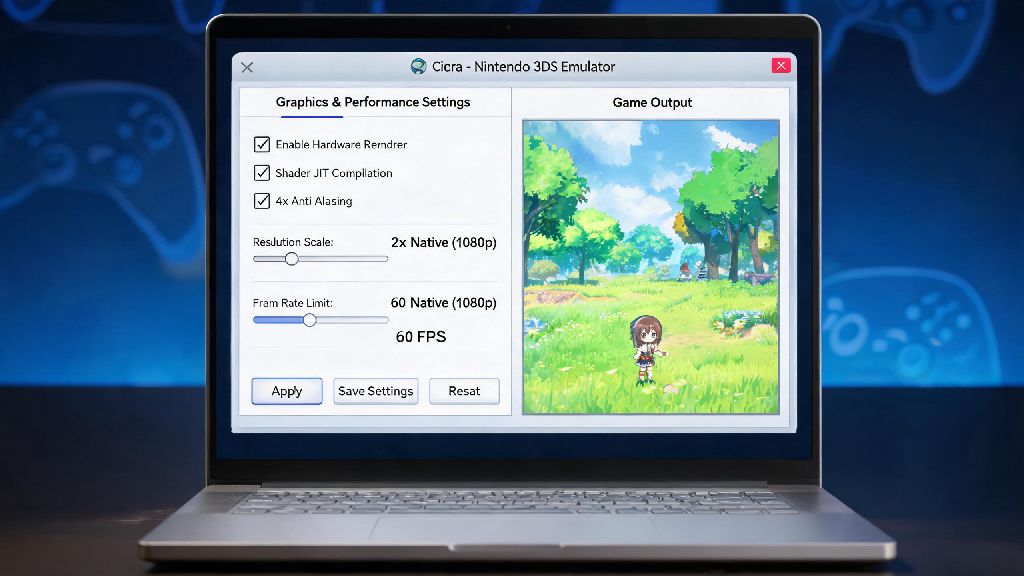
- Reset your Citra graphics and CPU settings to default to eliminate any misconfigured custom preferences
- Disable all third-party cheat codes, ROM hacks, and texture packs that may be conflicting with core emulation processes
- Update your GPU drivers to the latest official version to fix hardware acceleration conflicts that break emulation
When checking your ROM, never download ROMs from untrusted peer-to-peer sites, as these are far more likely to have corrupted data or hidden malware. The only safe way to get a working ROM is to dump it directly from your own 3DS console, which guarantees the file is complete and unmodified.
When updating Citra, Canary builds have experimental fixes for newer, less supported games that may not be available in the more stable Nightly builds. If you’re trying to play a recently released 3DS title, try the Canary build first to see if it resolves the crash.
Advanced Troubleshooting for Persistent Errors
If you’ve worked through all the quick fixes and you’re still seeing the error, there are a few more targeted steps you can take to resolve the issue. First, double check that your system meets the minimum requirements to run Citra. Citra requires at least 4GB of RAM and a 64-bit operating system to run most 3DS titles smoothly, and if you’re on a lower-end system, you may not have enough memory to support the emulation process for more demanding games.
You should also check if your antivirus or firewall is interfering with Citra’s operation. Antivirus software may flag Citra's memory emulation process as malicious activity, and block access to critical system resources that the emulator needs to run. You can test this by temporarily disabling your antivirus while you run the game, and if that fixes the issue, you can add Citra to your antivirus’s whitelist to prevent future conflicts.
It’s also worth checking the official Citra compatibility list for the specific game you’re trying to play. A small number of 3DS titles are not fully supported by Citra yet, and the emulation crash may be a known issue that the development team is still working to fix. If the game is listed as “broken” or “intro only”, you’ll likely have to wait for a future Citra update to play it without crashes.
Preventative Tips to Avoid Future Emulation Crashes
Once you’ve fixed the error, there are a few simple habits you can adopt to keep it from happening again down the line. First, always back up your save files before updating Citra or modifying core settings, so you don’t lose progress if something goes wrong. You can find your save files in Citra’s user directory, and you can copy them to a separate folder for safe keeping.
Another good habit is to only apply one setting change at a time when customizing your emulation setup. If you change five different graphics settings at once and the game crashes, you won’t know which change caused the issue. By changing one setting at a time and testing the game after each change, you can easily identify which settings work for your system and which ones cause crashes.
You should also avoid using untested mods or cheat codes from untrusted sources, as these are a common cause of emulation crashes. If you want to use a mod or texture pack, make sure you read user reviews first to confirm it works with the latest Citra builds and the specific version of the game you’re playing.
At the end of the day, figuring out why does Citra say emulated program broke emulation doesn’t have to be a headache. Most cases are caused by simple issues that you can fix in a few minutes, and following the steps outlined above will get you back to playing your favorite 3DS games in no time. If you’ve tried all the fixes and you’re still running into issues, you can reach out to the active Citra community for help, as other users may have run into the same exact issue with your specific game or setup.